Open source Free for everyone, Apache-2.0

The HTTP client that keeps your requests in plain files

Postino is a fast, native API client. No account, no cloud, no telemetry. Every request is a small text file you can read, diff and commit next to your code.

For Linux, Windows and macOS

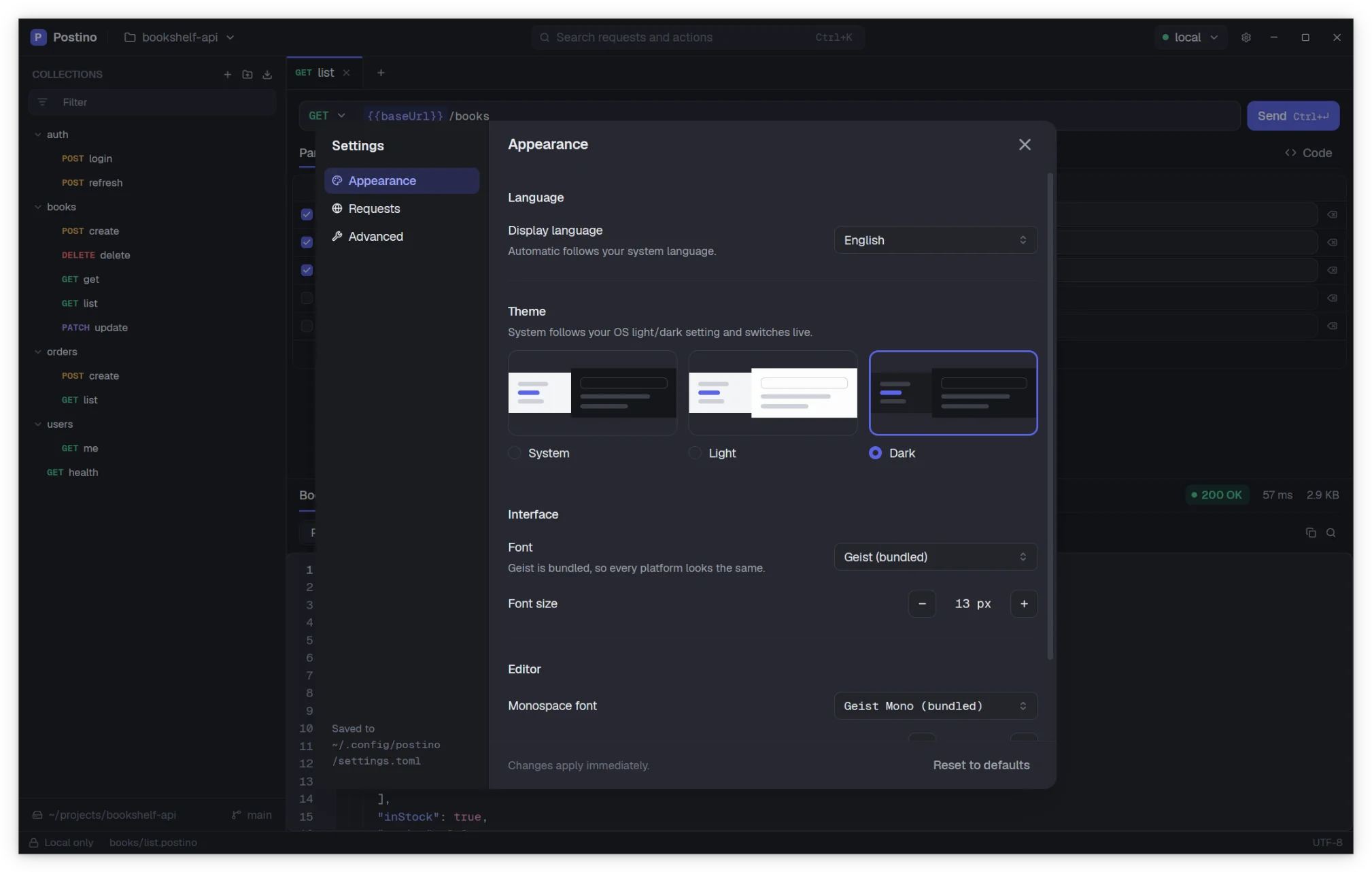
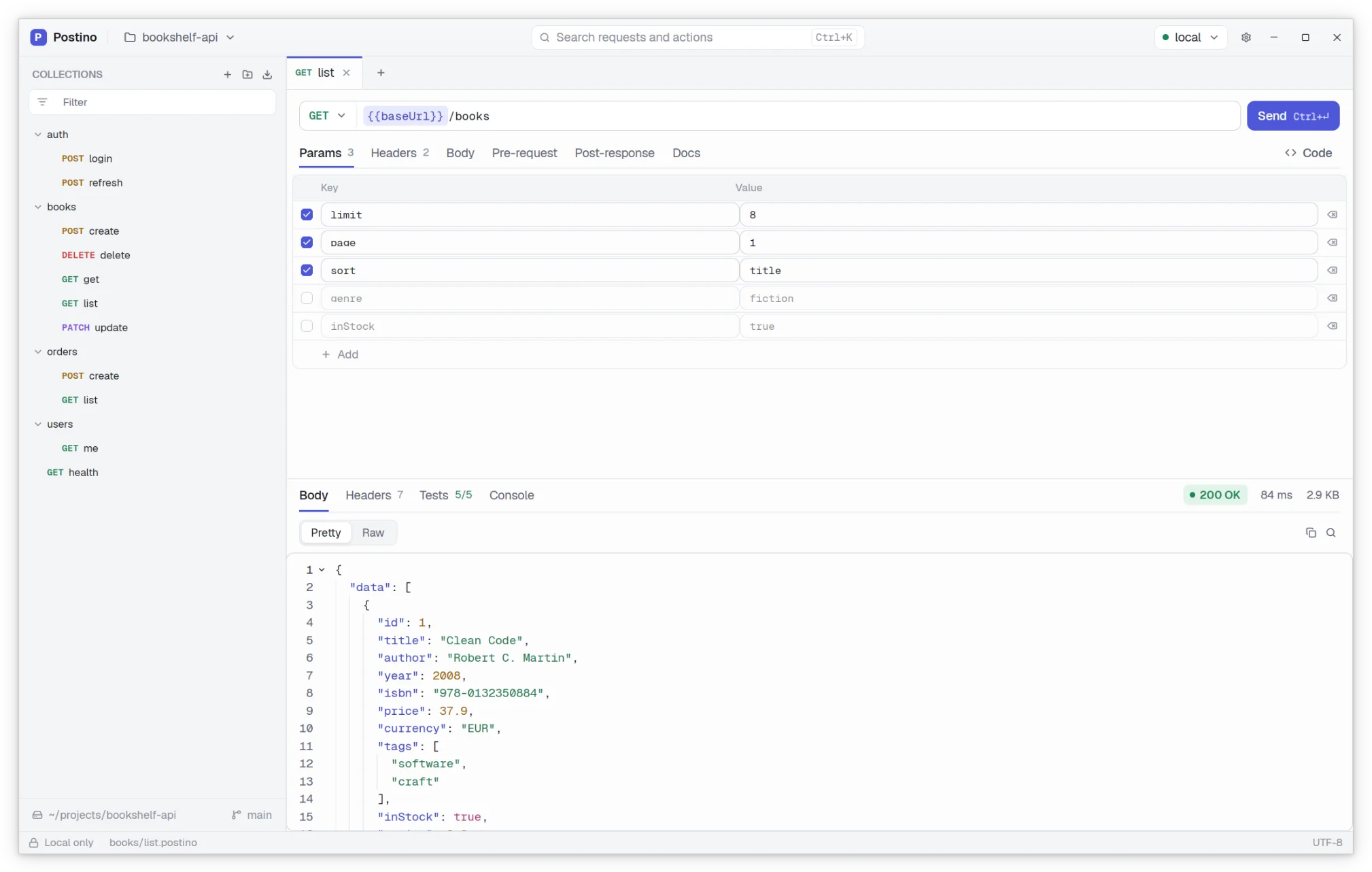
The Postino window: a sidebar with request folders, a GET request to a books API and its JSON response. The Postino window: a sidebar with request folders, a GET request to a books API and its JSON response.
  • Native, not a browserWritten in Rust on gpui, the GPU accelerated UI framework behind the Zed editor.
  • Light on your machineNo bundled web engine, so it stays small in memory and quick on any computer.
  • Local firstNo sign in, no sync, no telemetry. Only the requests you send leave your computer.
  • Yours to keepOpen source under Apache-2.0, with a documented, open file format.
Plain text, by design

One request, one file. Diffs you can actually review.

A collection is a folder and a request is a .postino file inside it. The format is short, readable and stable, so a change to a request shows up in git as the one line you changed.

  • Keep your API requests in the same repository as the API
  • Review request changes in pull requests, like any other code
  • Secrets stay out of git in a separate .local.env file
books/search.postino
GET {{baseUrl}}/books
Accept: application/json
Authorization: Bearer {{token}}

::: query
genre = science-fiction
limit = 20
# inStock = true

::: post
test("returns the books", () => {
  expect(res.status).toBe(200);
});
git diff
 ::: query genre = science-fiction-limit = 20+limit = 50 # inStock = true
Features

Everything you need to work with HTTP APIs

A familiar layout, built for speed: collections on the left, the request on top, the response below.

Scripts and tests in JavaScript

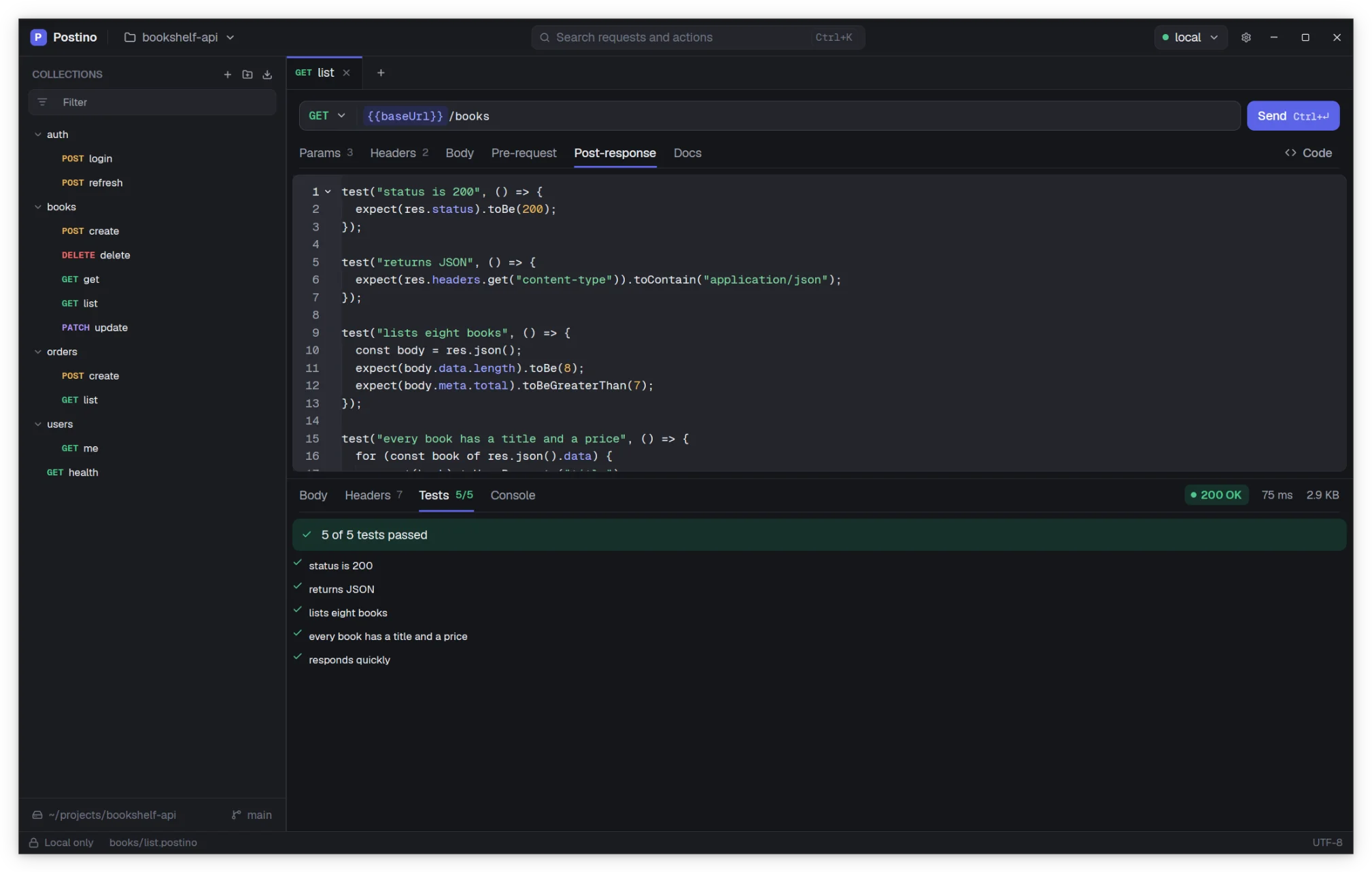
Run a script before a request to sign it or build data, and after it to check the response and pass values on to the next one. Scripts run in a sandboxed QuickJS engine.

  • test() and expect() assertions, with results per request
  • Save a token from the login response into the environment
  • Console output captured next to the response
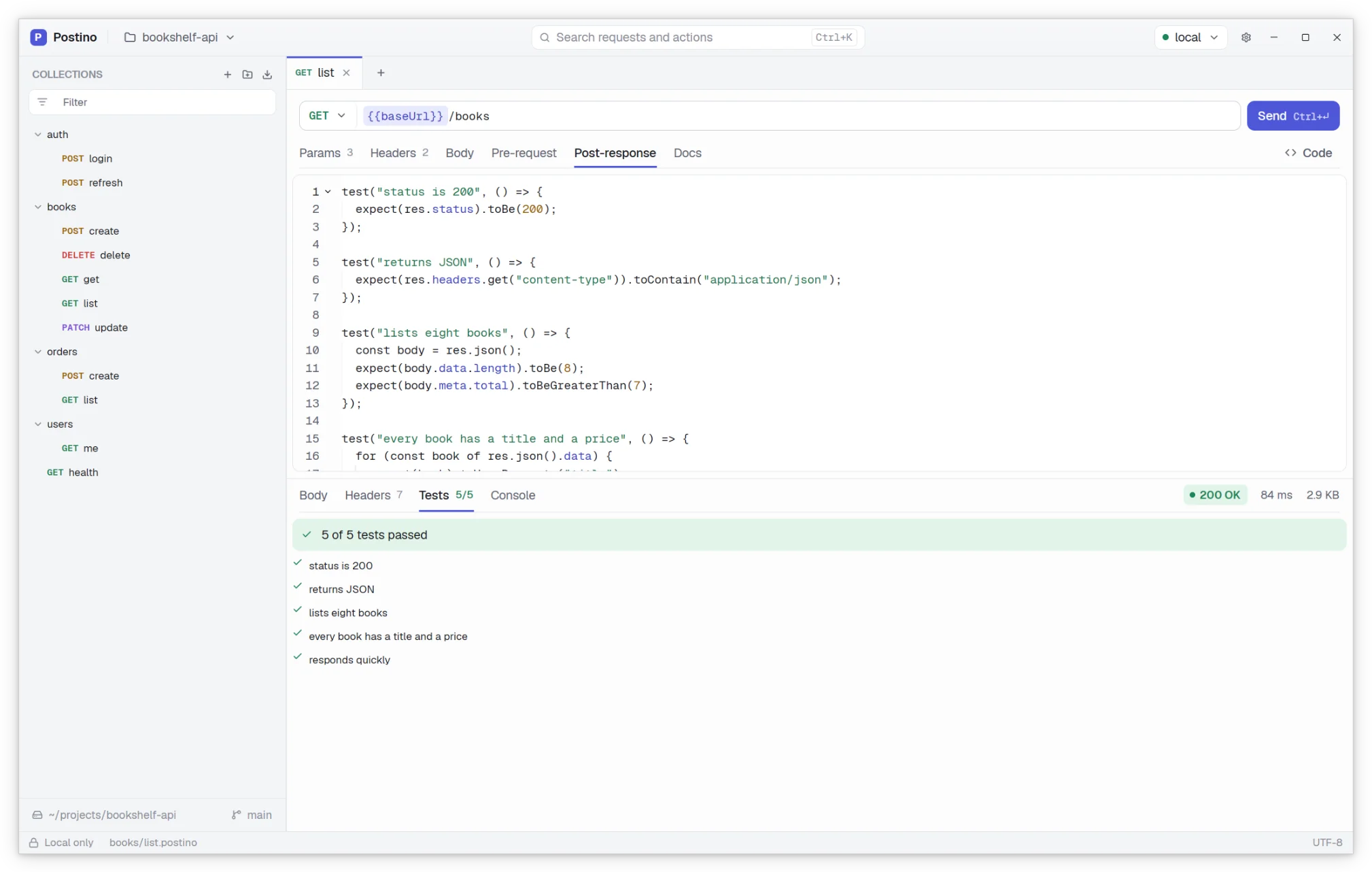
A request with a post response script and its passing tests. A request with a post response script and its passing tests.

Load testing built in

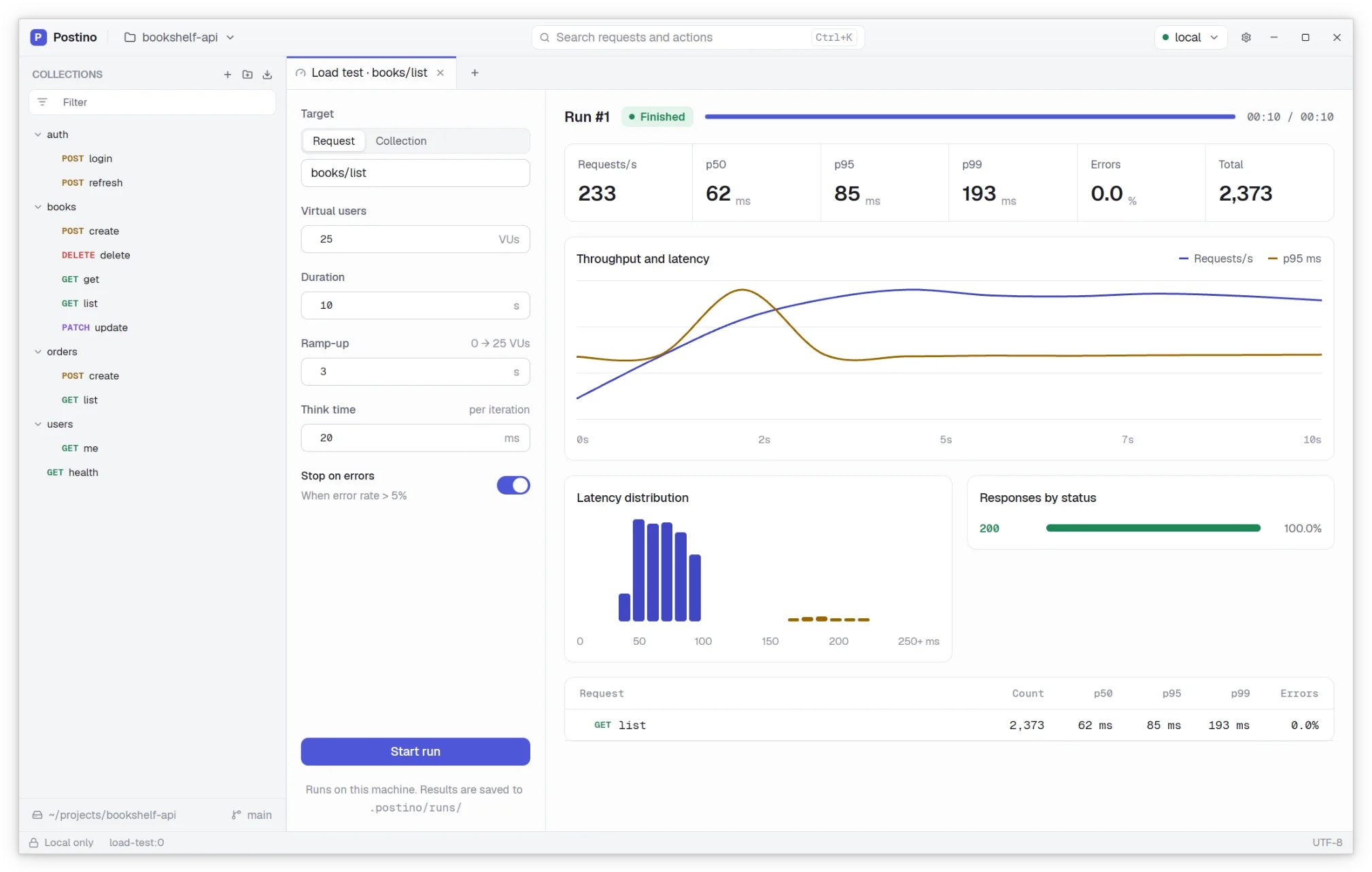
Point a load test at a request or a whole folder, choose virtual users, duration and ramp up, and watch throughput and latency live. Every run is saved, so you can compare it with the last one.

  • Requests per second, p50, p95 and p99 latency, error rate
  • Run history stored next to your requests
A finished load test run with throughput and latency charts. A finished load test run with throughput and latency charts.

Keyboard first

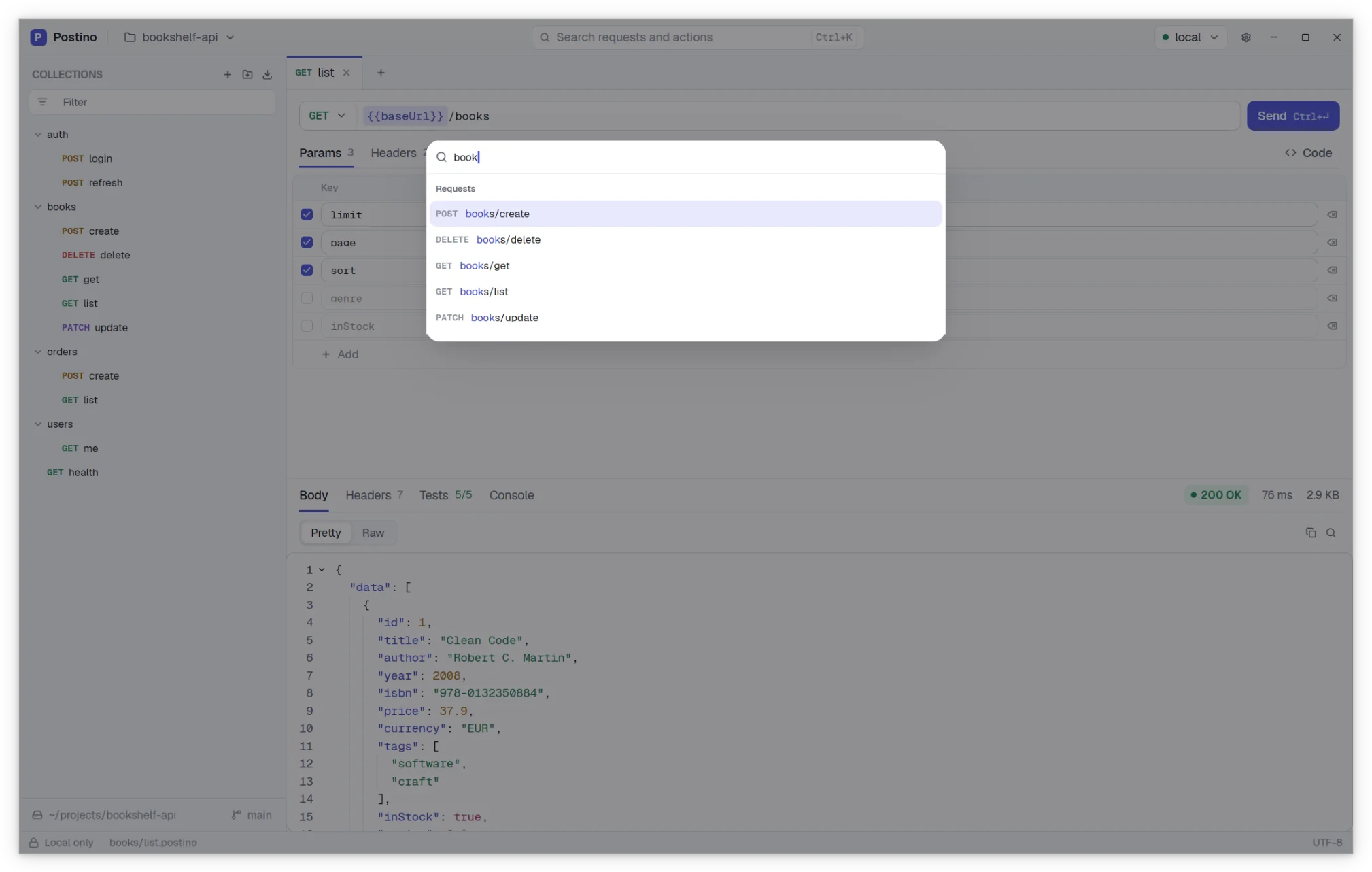
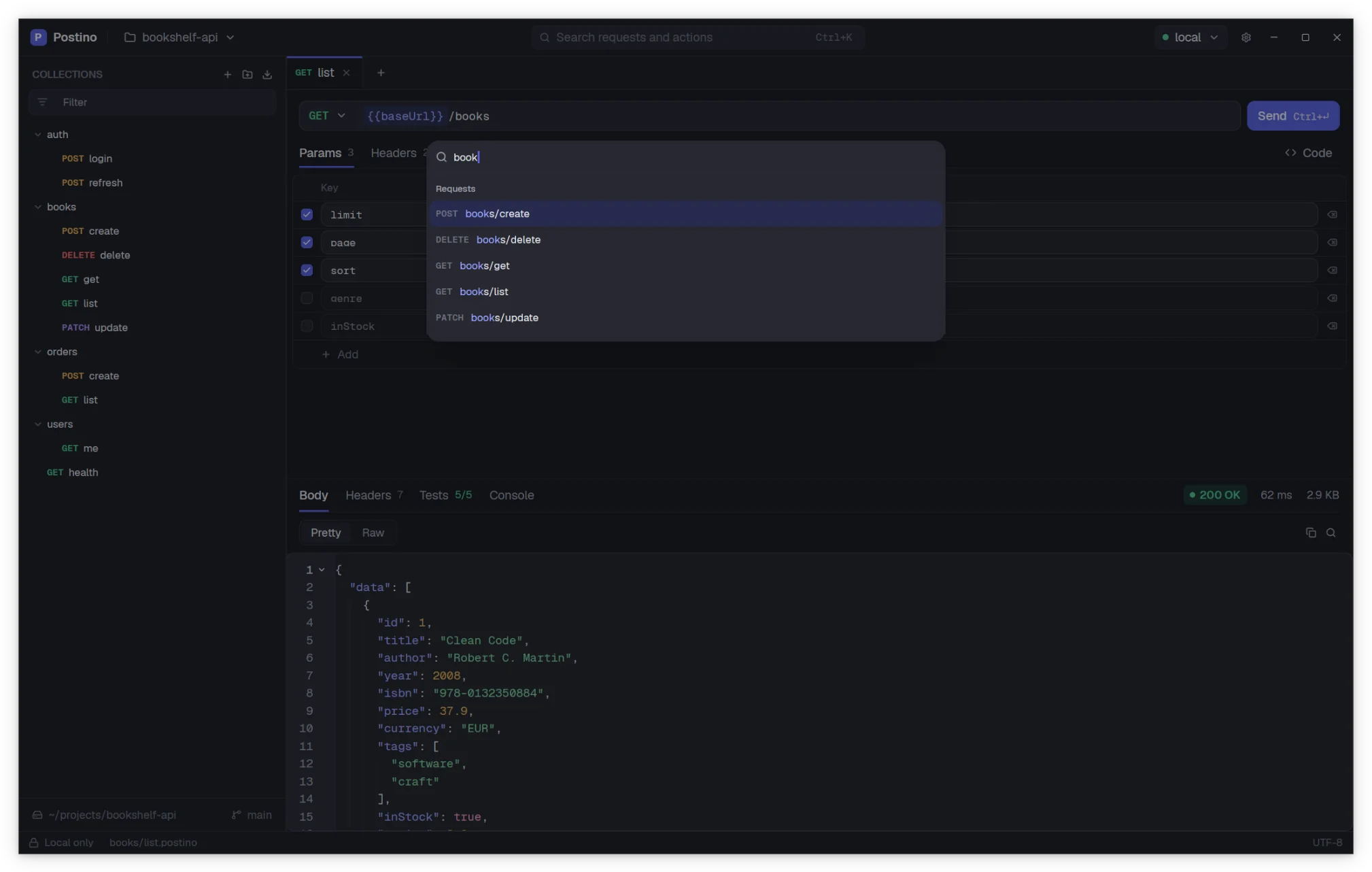
Press Ctrl K to jump to any request or run any action. Send with Ctrl Enter and switch environments with Ctrl 1 to 9, without touching the mouse. On macOS, use ⌘ instead of Ctrl.

The command palette listing requests and actions. The command palette listing requests and actions.

Turn any request into code

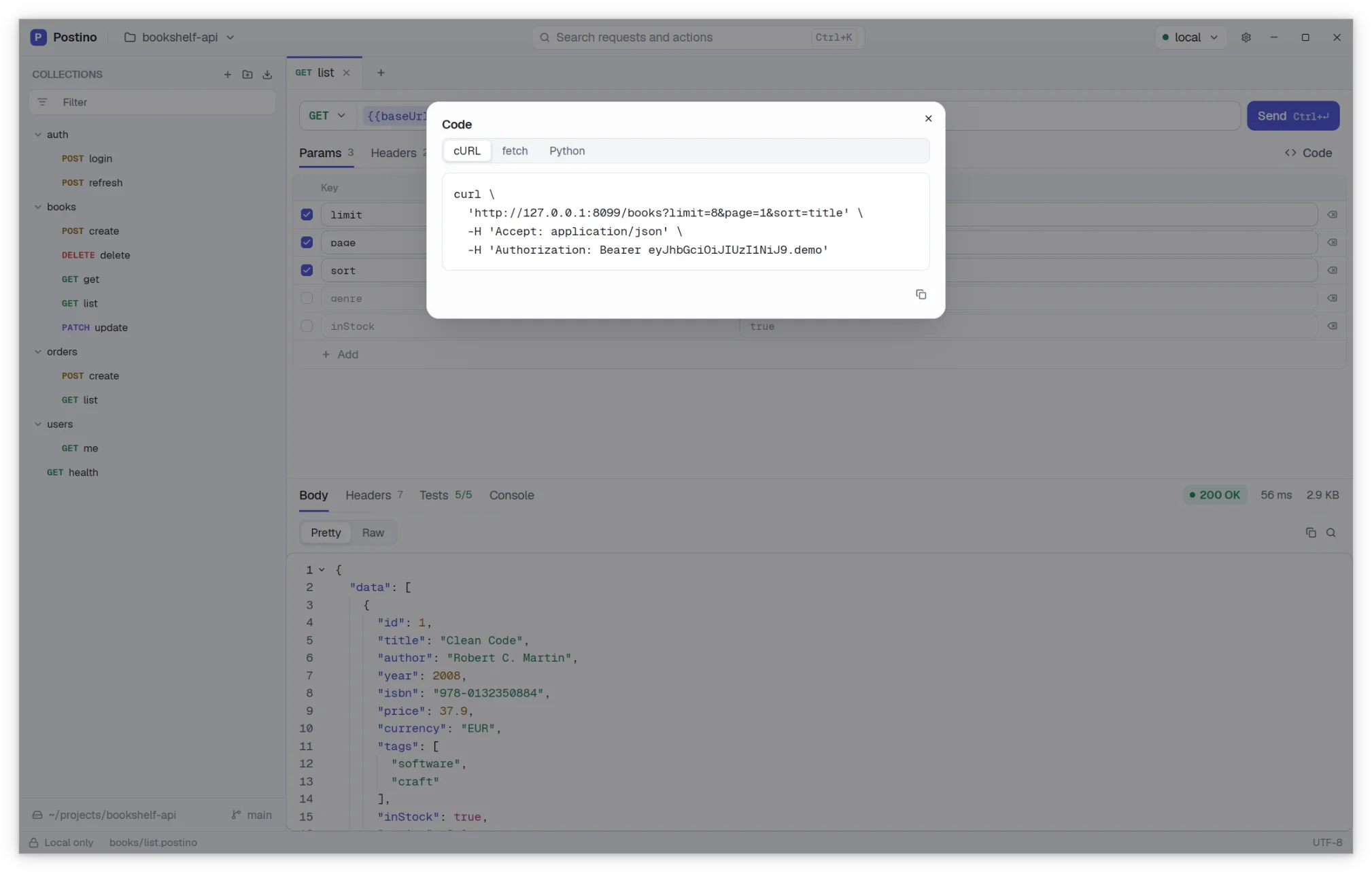
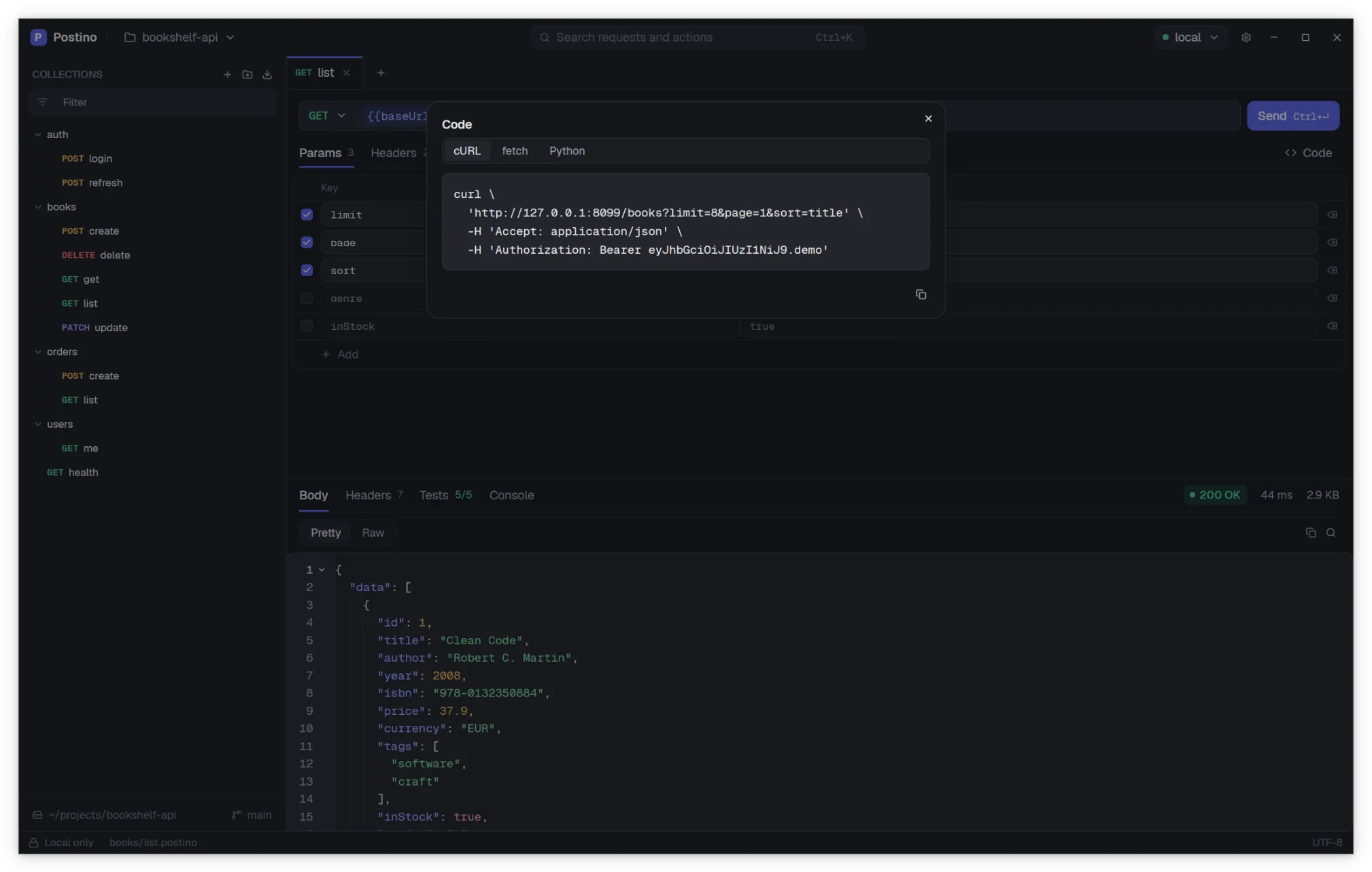
Copy the request you are working on as a curl command, JavaScript fetch or Python requests call, with every variable already resolved.

The code snippet dialog showing a curl command. The code snippet dialog showing a curl command.

Made to feel at home

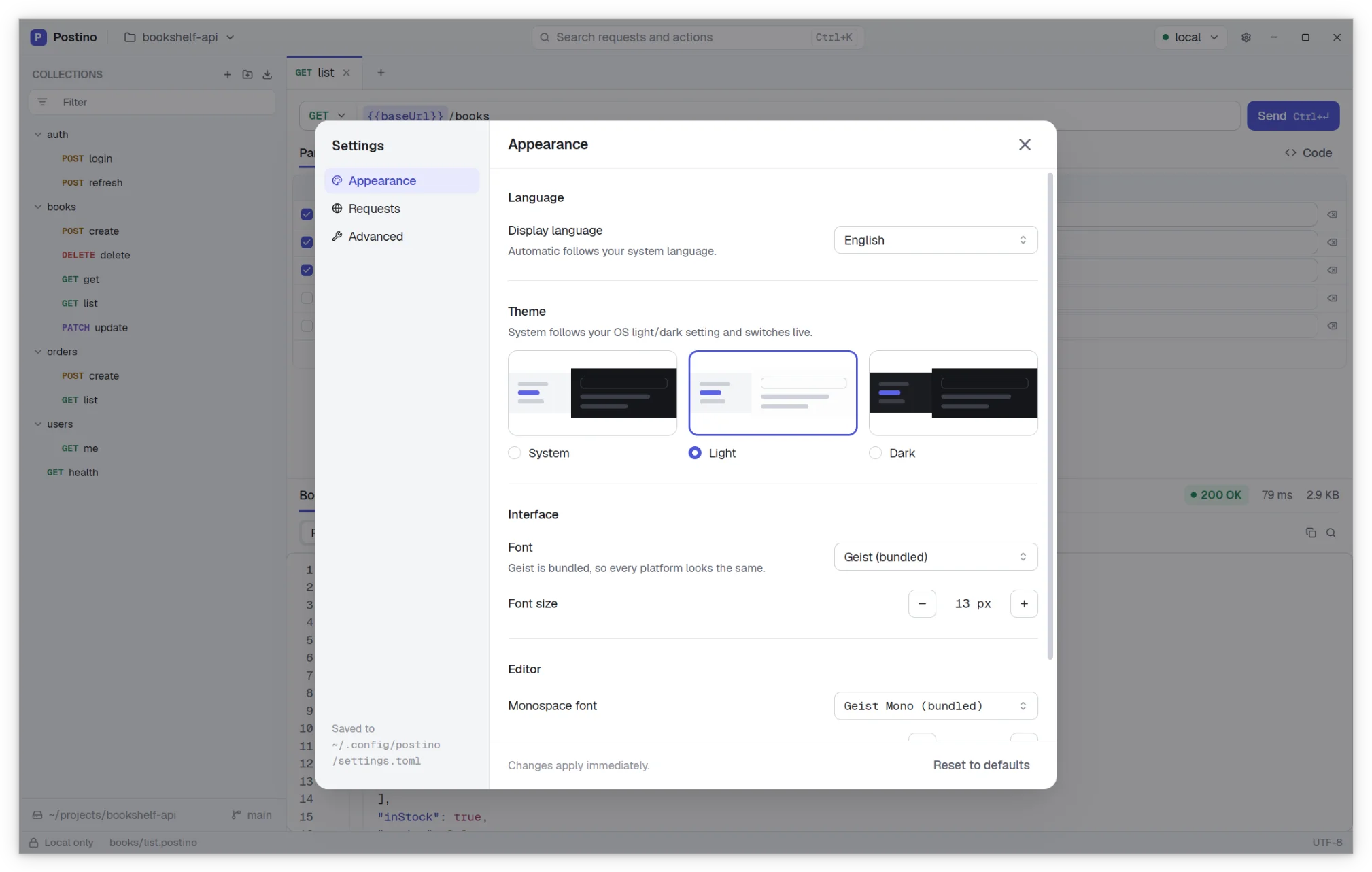
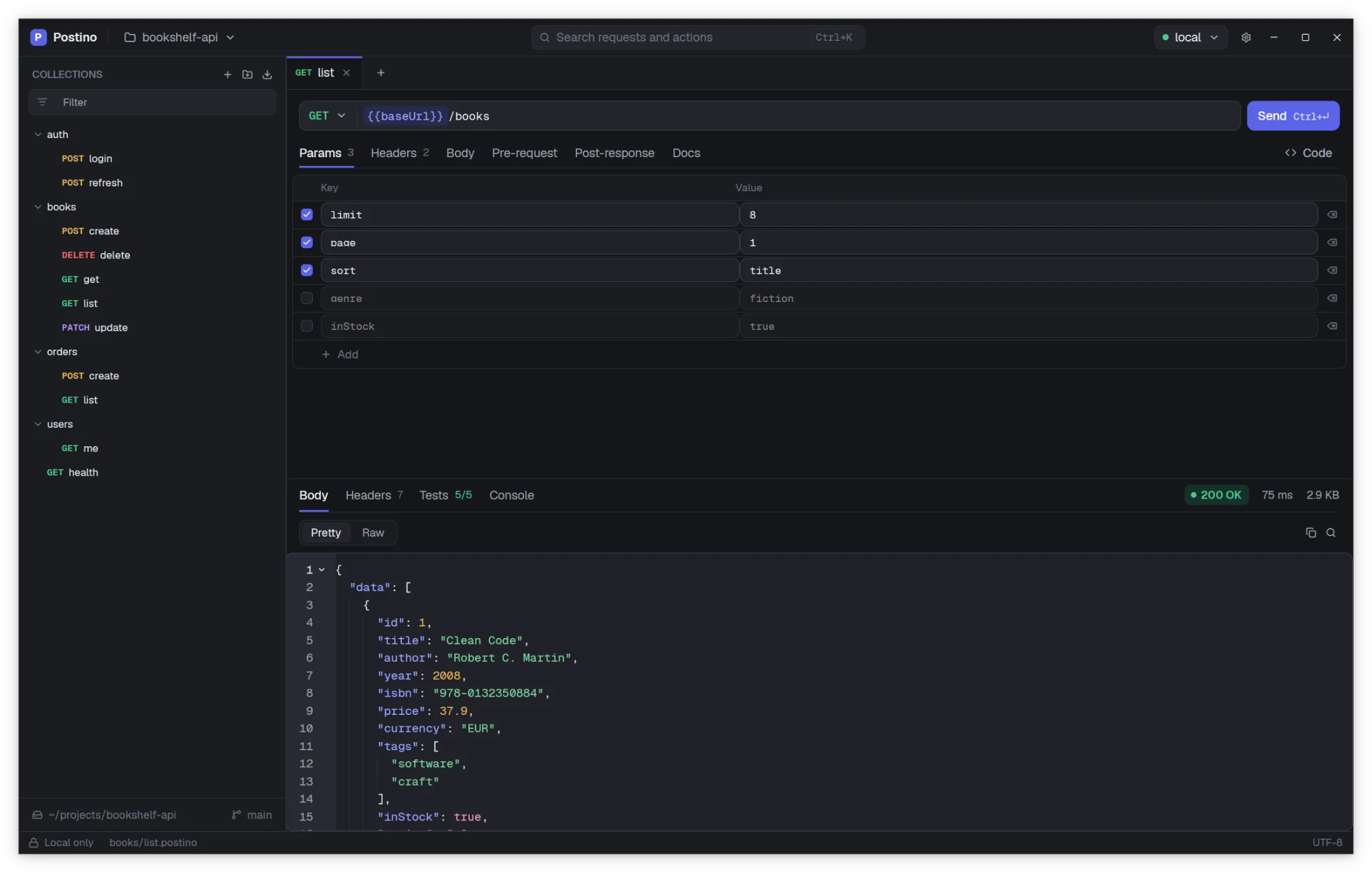
Light and dark themes, or follow your system. Pick the interface and editor fonts and sizes. Postino speaks English, Spanish, Galician and Italian.

The Settings window with appearance options. The Settings window with appearance options.
Light or dark

Two themes, one design. You choose.

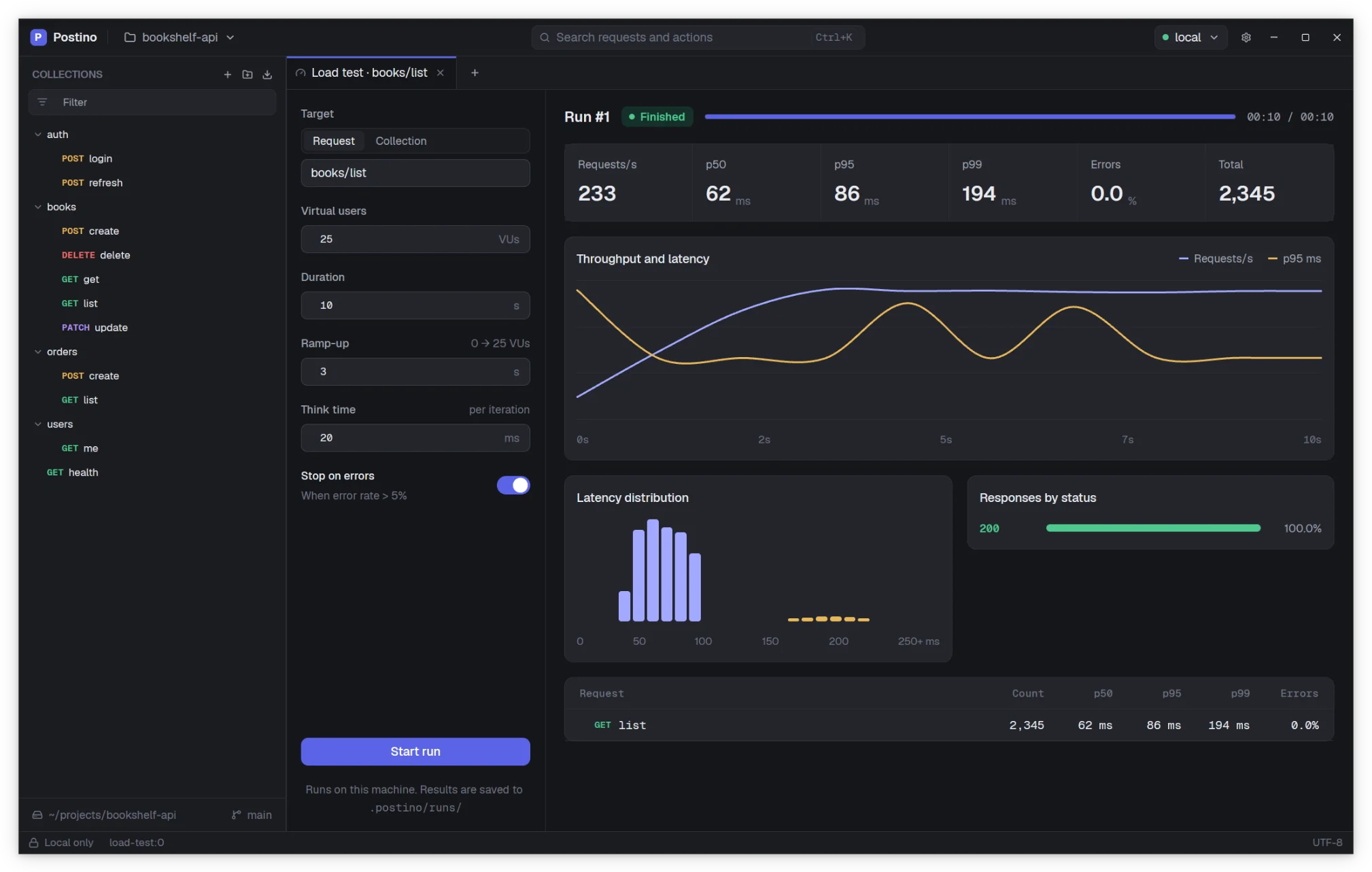
Postino comes with a light and a dark theme built from the same palette, so neither one feels like an afterthought. Pick one in Settings or let it follow your system.

Postino in its light theme. Postino in its dark theme, over the right half of the same window.

Every screenshot on this page comes in both themes. Use the button at the top to switch.

And more

The details that matter every day

  • GET POST PATCH

    Any method, any body

    Standard or custom methods, query parameters and headers you can switch on and off, and JSON, XML, text or form bodies.

  • {{baseUrl}}

    Environments and variables

    Switch between local, staging and production in one click. Variables are highlighted right in the URL.

  • {{uuid()}}

    Template functions

    Generate a UUID, a timestamp, a random value or a Base64 string inline, without writing a script.

  • 200 OK · 142 ms

    A clear response viewer

    Status, timing and size at a glance, a formatted or raw body, headers, test results and console output.

  • v2.1

    Import from Postman

    Bring your Postman collections and environment exports, and keep working with them as plain files.

  • .local.env

    Secrets stay local

    Environment values meant for git go in one file, passwords and tokens in a local file that overrides it.

Give Postino a try

Free and open source, for Linux, Windows and macOS. No account needed, just download and open a folder.